SANDBOX STUDIOGAMES & DEVELOPMENTSANDBOX STUDIOGAMES & DEVELOPMENT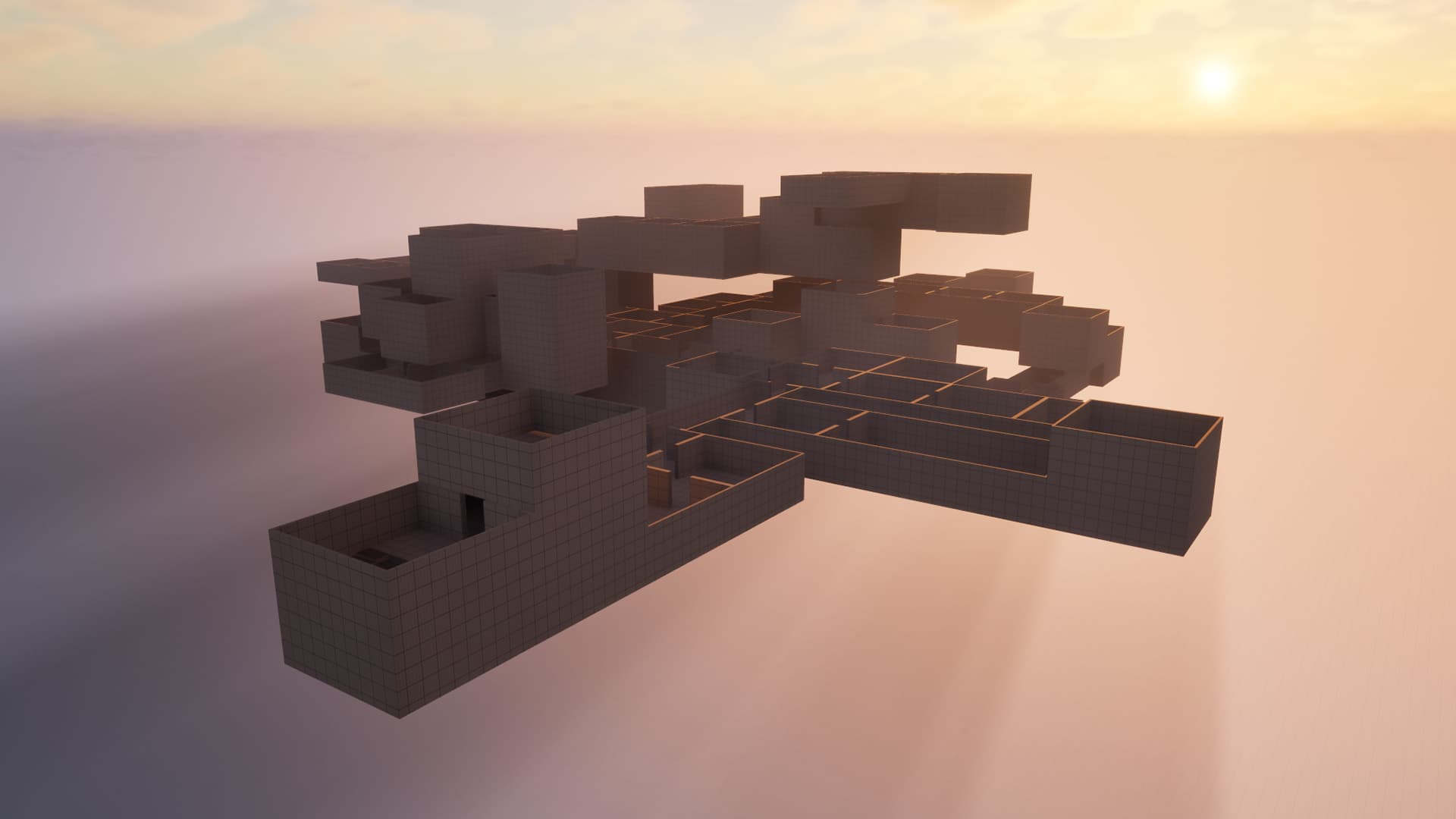
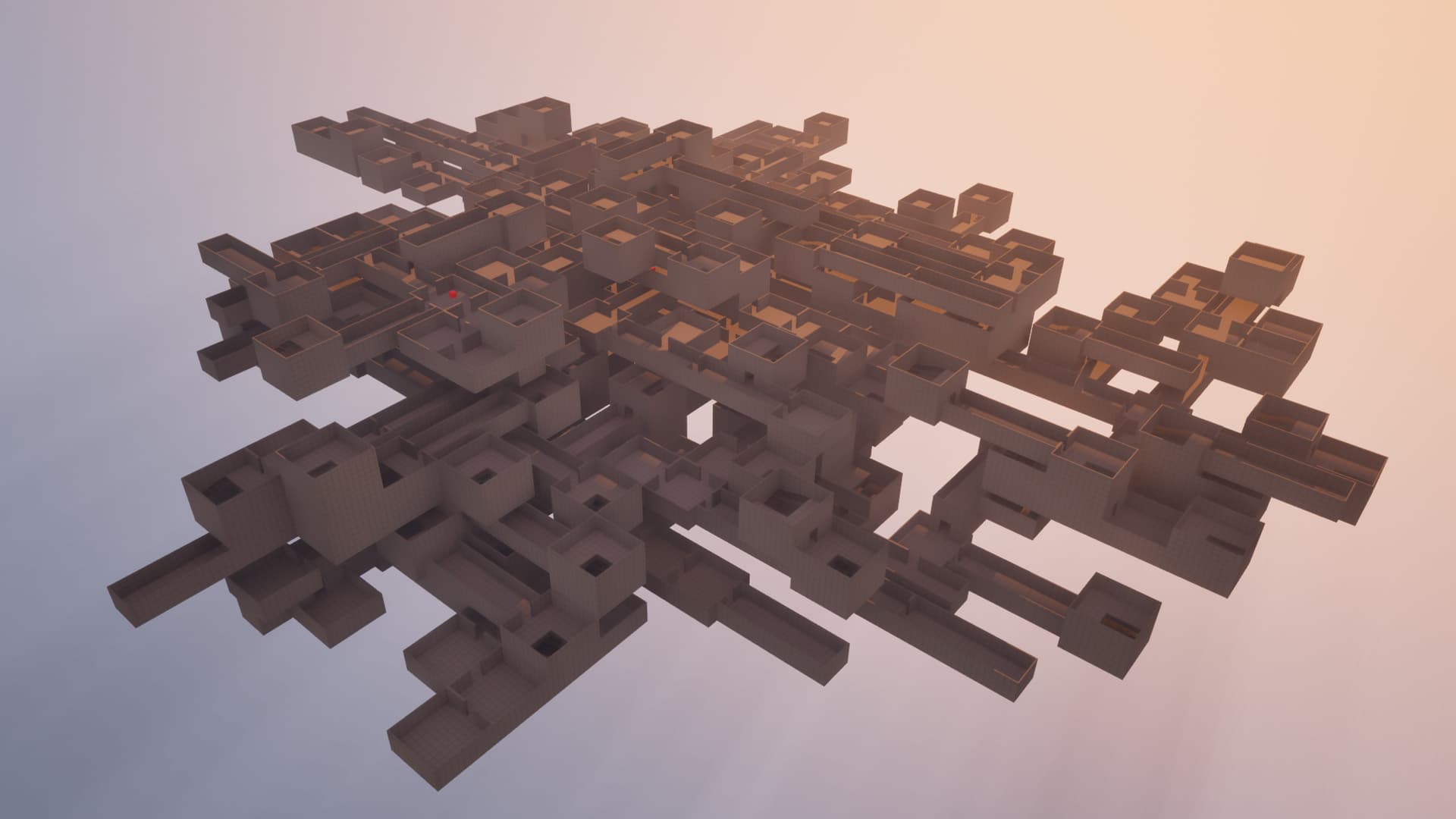
This project is a procedural dungeon generator system built entirely in Blueprints, designed to create unique and dynamic dungeon layouts for games.
To install the Simple Modular Dungeon Generator System, follow these steps:
1. Import dungeon generator system into your Unreal Engine project.
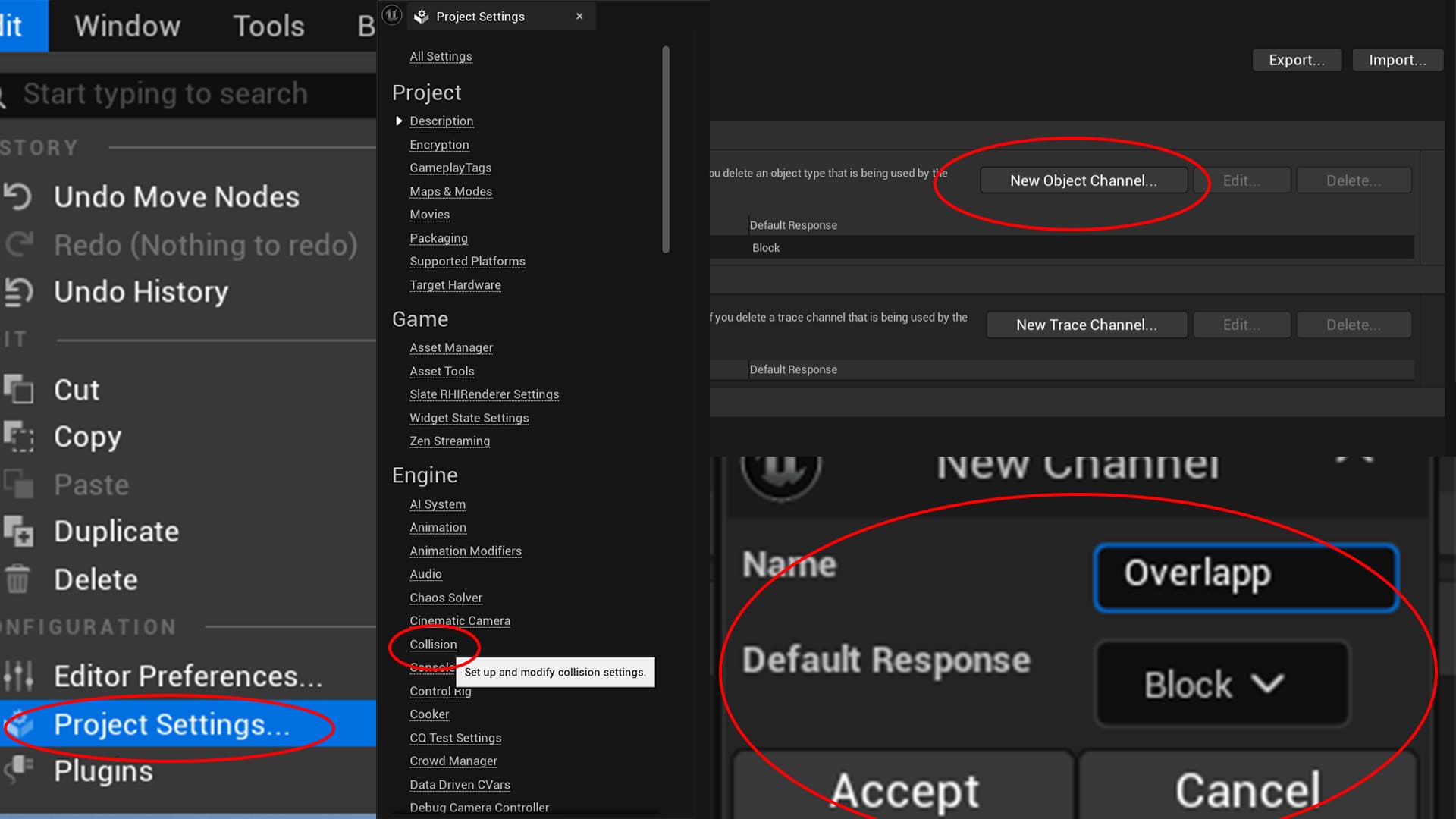
2. Go to Project Settings - Collisions - Add new Object Channel - Name it "Overlapp" (You can call it like you want)
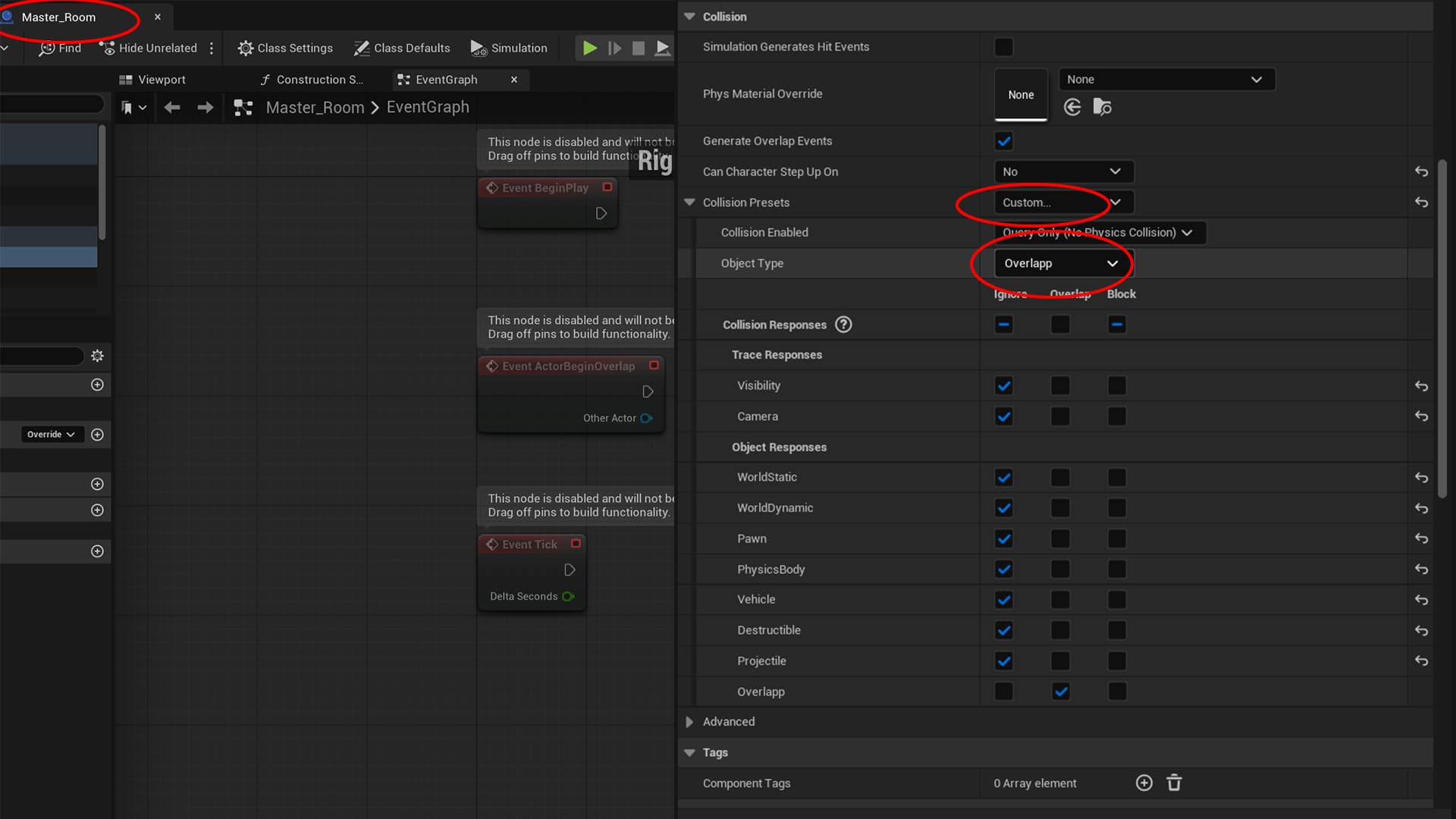
3. After adding a new collision channel in the Project Settings, the Master Room should already have its collision type configured correctly. However, before using the generator, make sure that this new collision channel is assigned to the Master Room.
Go to blueprint Room_Master. Click Collision in details. Set ignore except Overlapp = Overlapp. Also if you change the name of the collision channel, set it to the new name you created.
4. Now you can start using the generator. To generate a dungeon, simply place the DungeonGenerator actor on level (Dungeon_Generator). The generator works by creating the dungeon whenever the actor is loaded. This means the dungeon is generated automatically when the level starts or whenever the `Dungeon_Generator` actor is spawned.
You can configure the most important generator settings using the variables exposed on the generator actor.
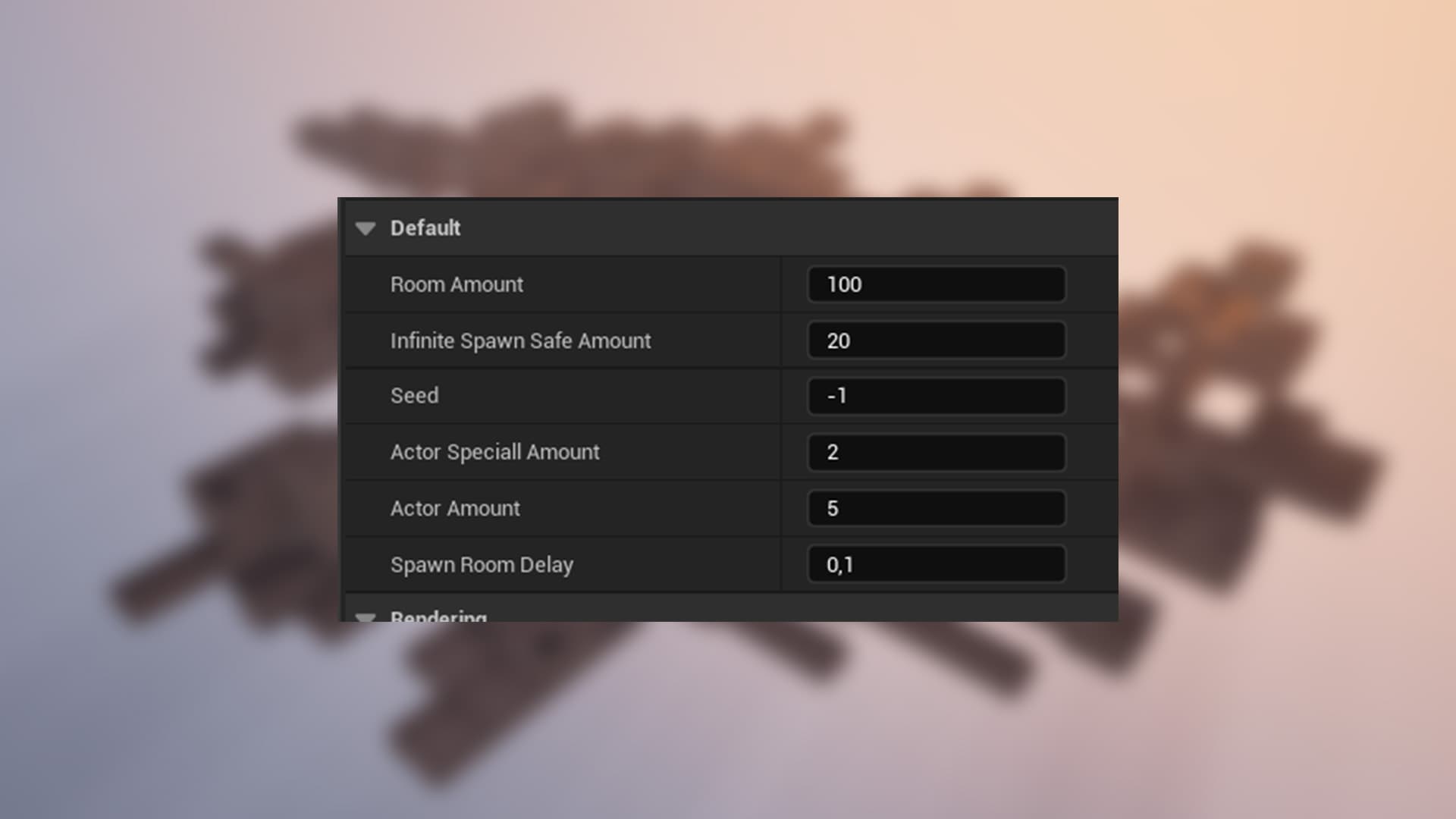
1. Room Amount: The total number of rooms to generate in the dungeon.
2. Infinite Spawn Safe Amount: This value represents the number of consecutively created and removed rooms. Once this limit is reached, dungeon generation will stop and the map-closing procedure will begin. If this limit is reached, there is a high probability that the generator has encountered a seed that causes rooms to be placed in an invalid loop, preventing them from finding a valid position without overlapping. This is a safety mechanism to prevent the generator from running indefinitely in such cases.
3. Seed: If You set -1, the generator will create a random seed for each generation, resulting in a unique dungeon layout every time. If you set any other value bigger than -1, the generator will use that specific seed to create the dungeon layout, allowing you to recreate the same layout consistently.(The seed stream will be Your number)
4. Actor Special Amount: This value determines the number of special actors (like traps, pickups, or enemies) that will be placed in the dungeon. The generator will attempt to place this many special actors in valid locations throughout the generated layout.
5. Actor Amount: This value determines the number of actors (Items, NPCs, Special Items) that will be placed in the dungeon. Its the same as the previous one but with different actors (From diffrent actor pool).
6. Spawn Room Delay: This value sets the delay (in seconds) between the spawning of each room during the generation process. A longer delay can help reduce performance issues on lower-end hardware by allowing the generator to spread out the workload over time, while a shorter delay can speed up the generation process on more powerful machines.
The following section contains important information and recommendations that should be considered when working with the generator.
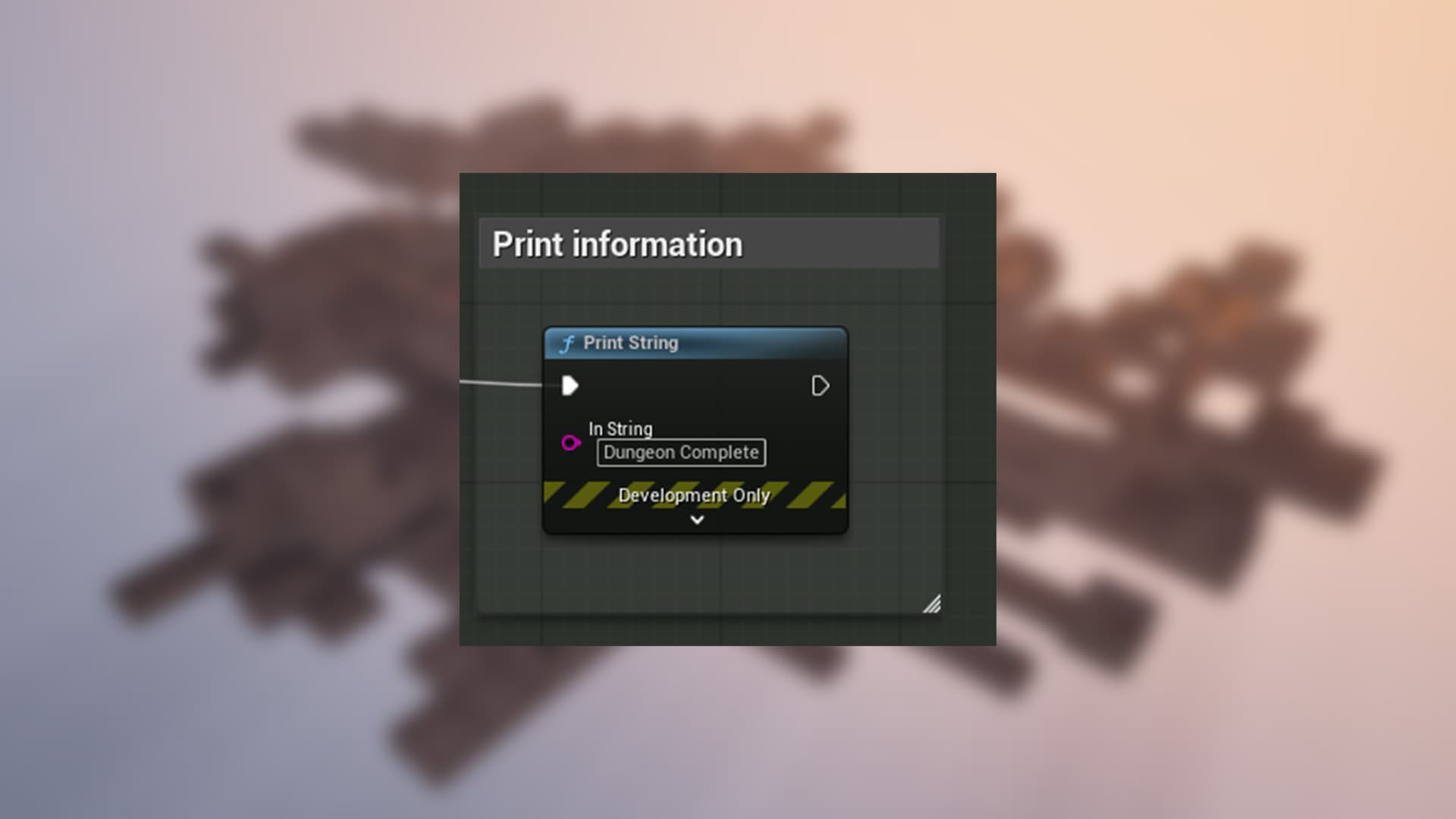
If you wanna use the generator in production projects. You need to delete print-string nodes in the generator blueprints. They are used for debugging purposes to inform the user about the generation process. There is 2 of them.
The asset includes 9 prebuilt rooms that are ready to use. For better visualization and understanding of the generation process, these rooms are provided without ceilings. The following sections explain how to customize the existing rooms, create new ones, and remove rooms that are no longer needed.
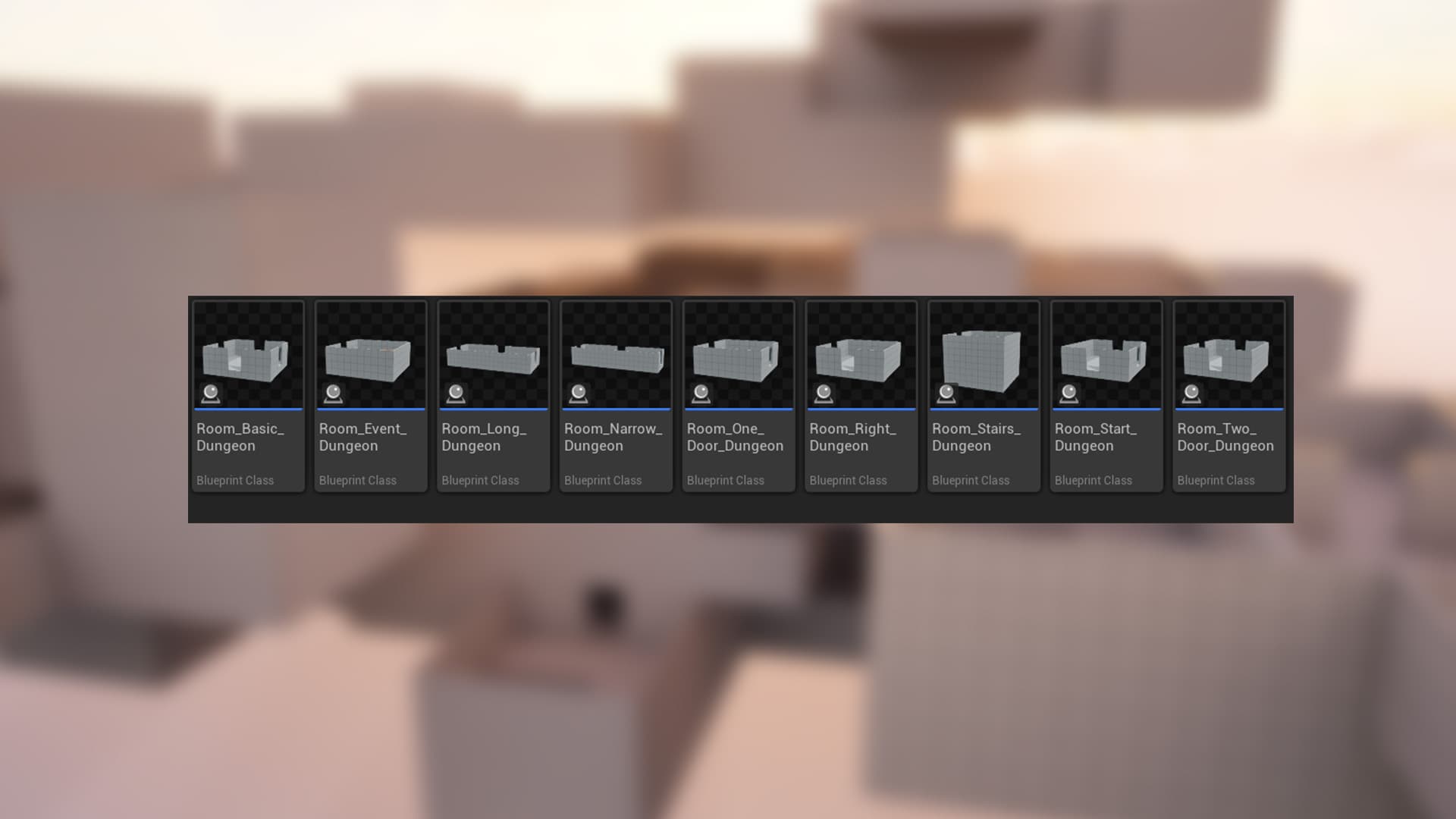
The asset currently includes 9 ready-to-use rooms, each implemented as a child Blueprint of Room_Master. Any changes made to Room_Master will automatically propagate to all of its child Blueprints.
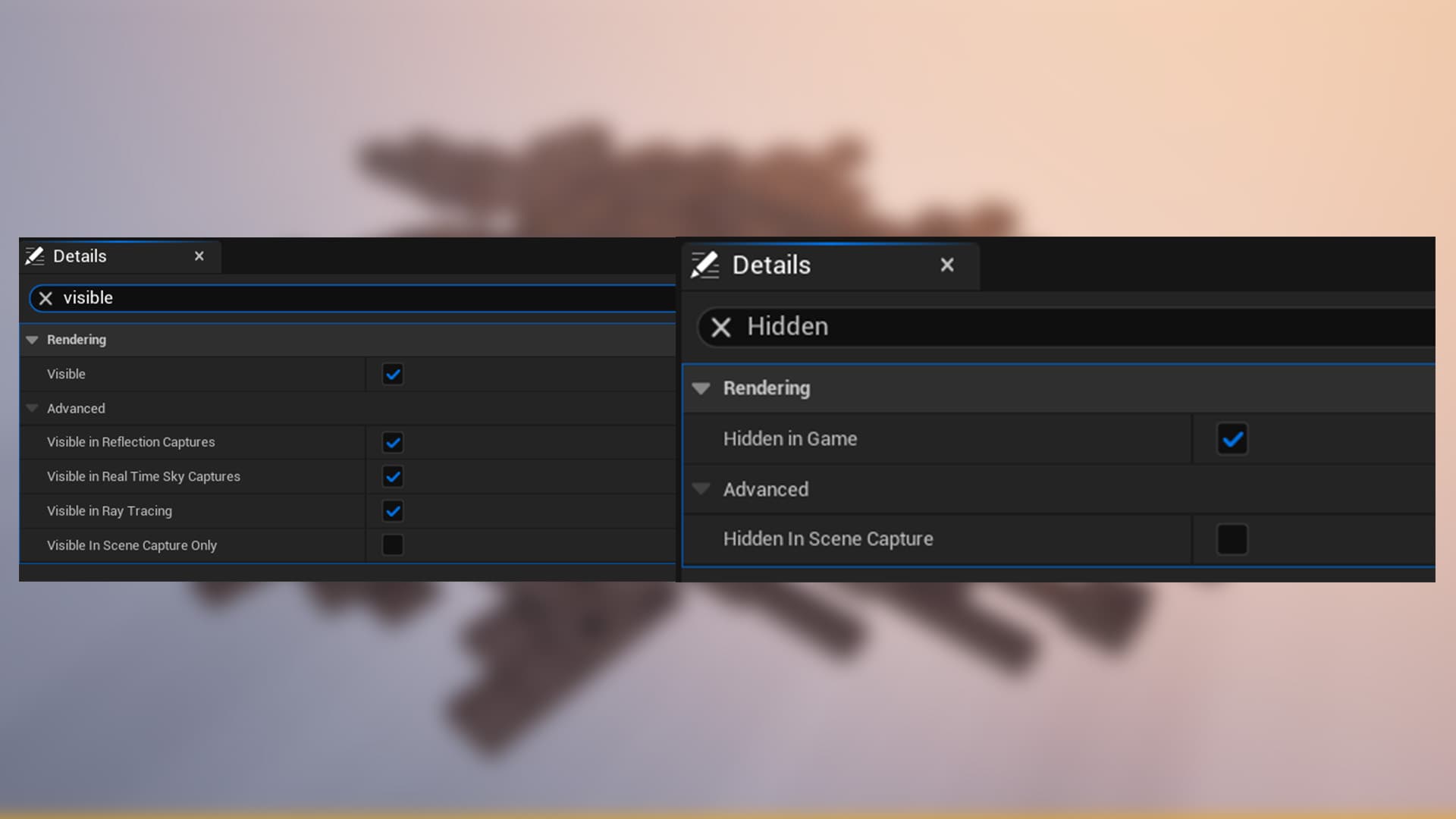
When creating the rooms based on Room_Master, some wall sections were disabled (Visible and Hidden in Game) to create or remove doorway connections. You may remove these wall meshes from Room_Master if desired, but keep in mind that you will then need to add the appropriate wall meshes manually to each child room Blueprint.
The rooms have been structured to make it easy to replace the placeholder geometry with your own final room modules. This allows you to quickly adapt the generator to match your project's visual style and environment design.
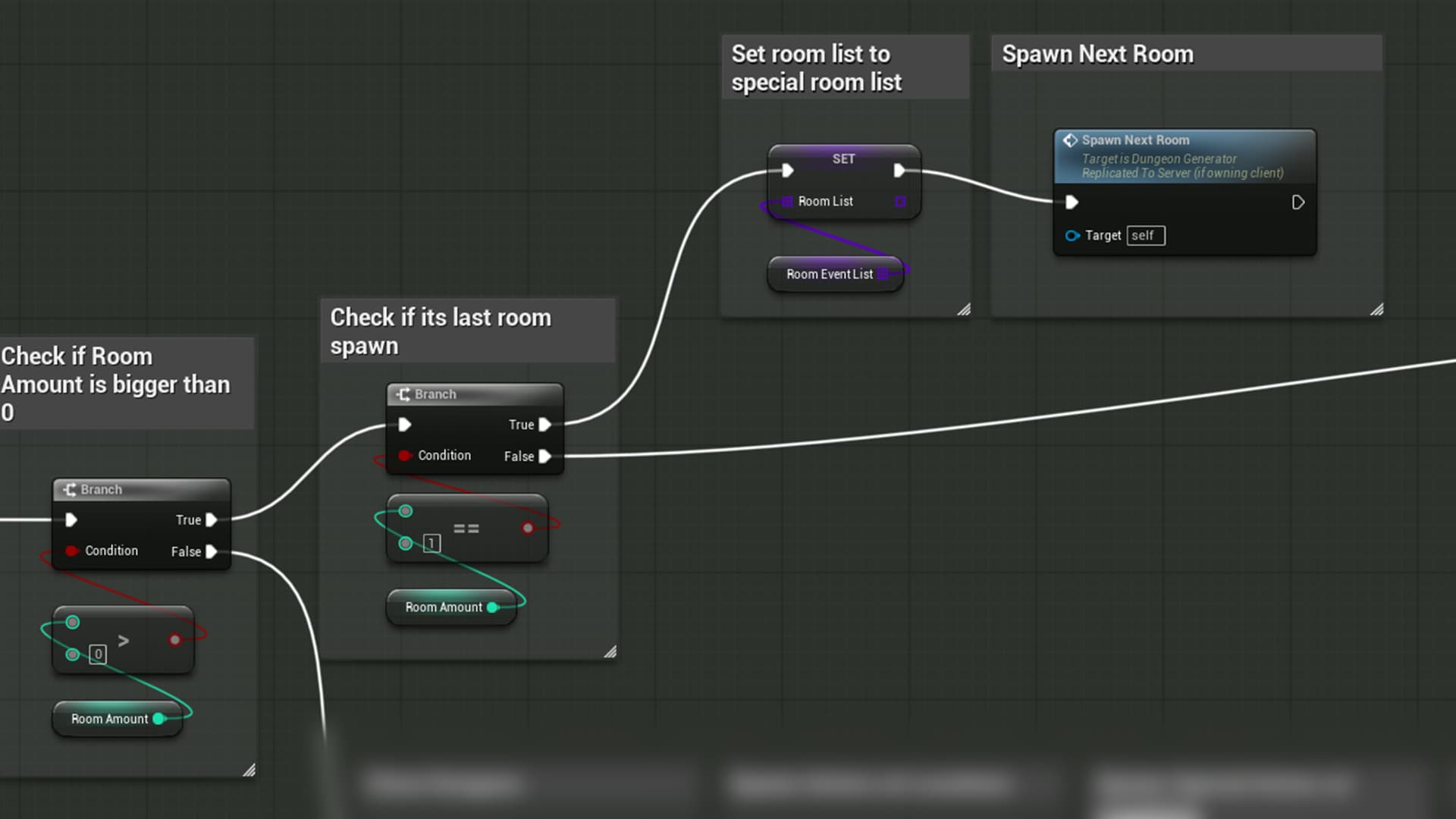
This section of the code is responsible for spawning special rooms, such as stairway rooms, puzzle rooms, or challenge rooms—rooms that you typically want to appear less frequently than the standard ones.
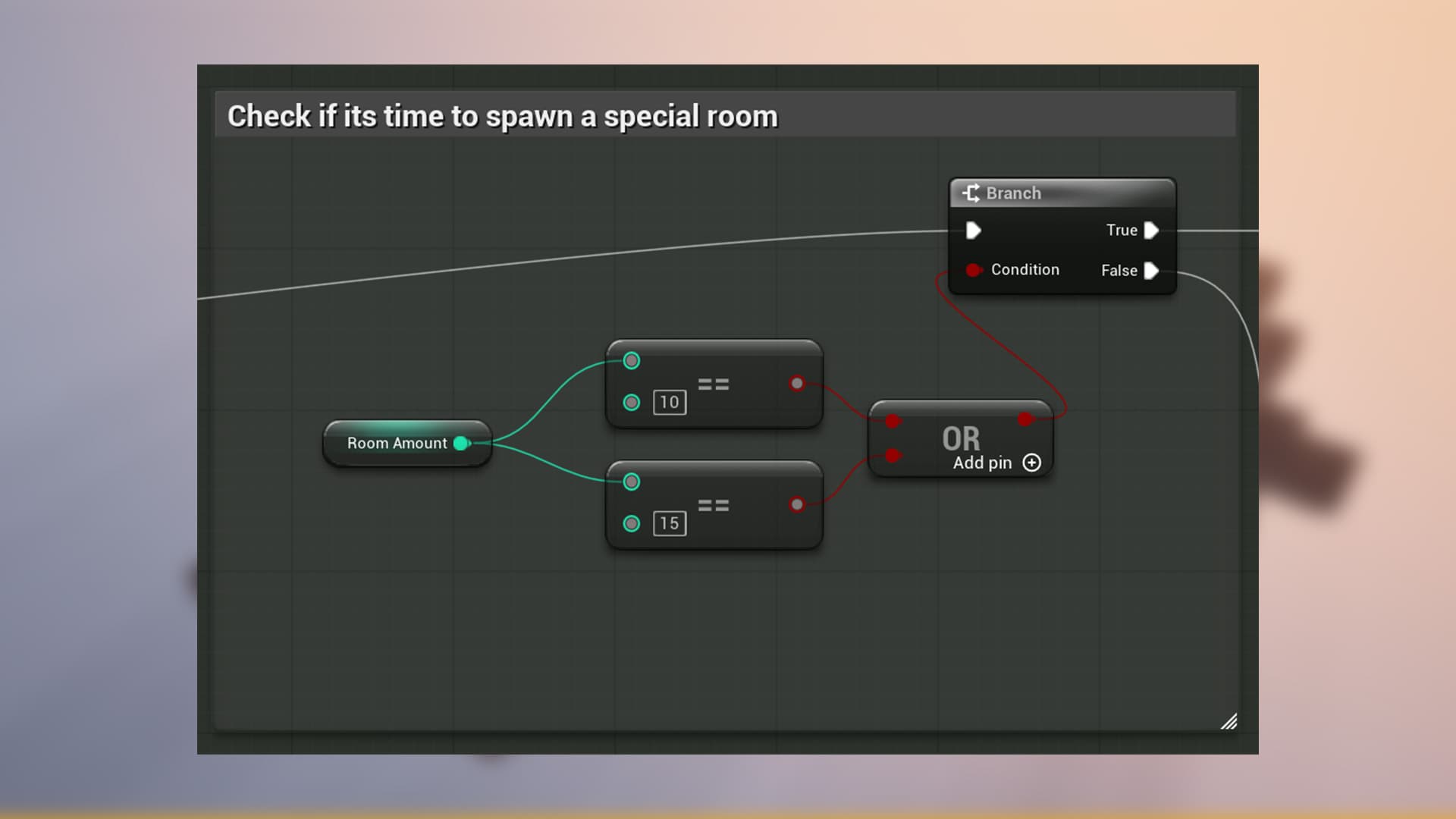
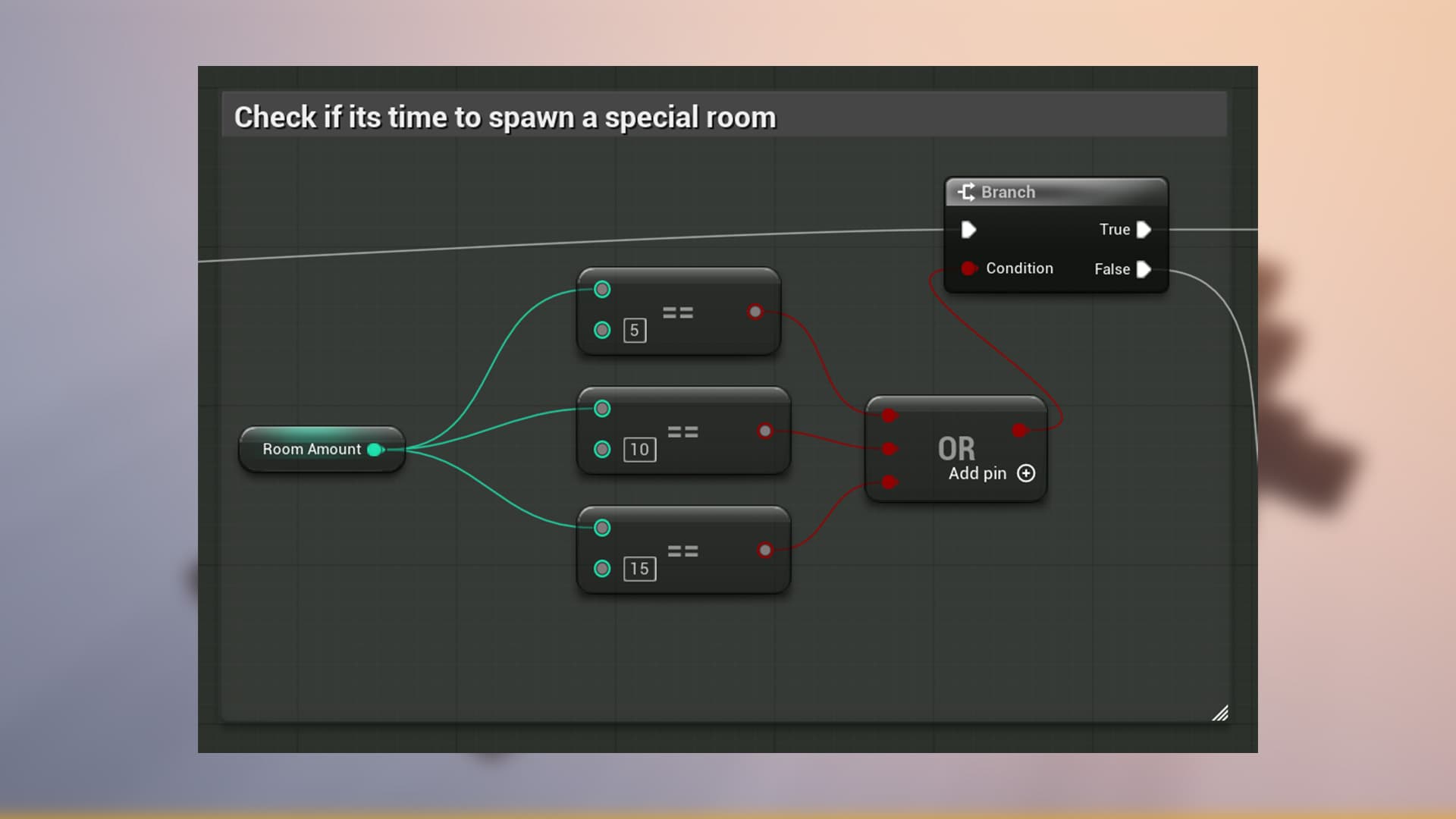
As shown in the screenshot, these special rooms are currently configured to appear when the 10th and 15th rooms are generated. If you would like to increase the number of special rooms, simply add another condition following the same pattern shown in the example.
Keep in mind that adding too many special rooms may reduce their uniqueness and impact. If you want more room variety overall, it is often better to add additional room Blueprints to the standard room pool instead of increasing the frequency of special rooms.
There is
Room List - This variable is the active room pool that the generator uses to spawn rooms during the generation process. It can use Room List Basic as its source, but it can also be modified dynamically during generation to add or remove rooms based on specific conditions like Room Special List or Room Event List.
Room List Basic - This variable contains the list of standard rooms that are used for the majority of the dungeon generation.
Room Special List - This variable contains the list of special rooms that are spawned based on specific conditions defined in the generator's logic. These rooms are typically designed to be more unique and impactful, and they are spawned less frequently than the standard rooms.
Room Event List - This variable is intended to hold a list of rooms that trigger specific event. It will spawn only once.
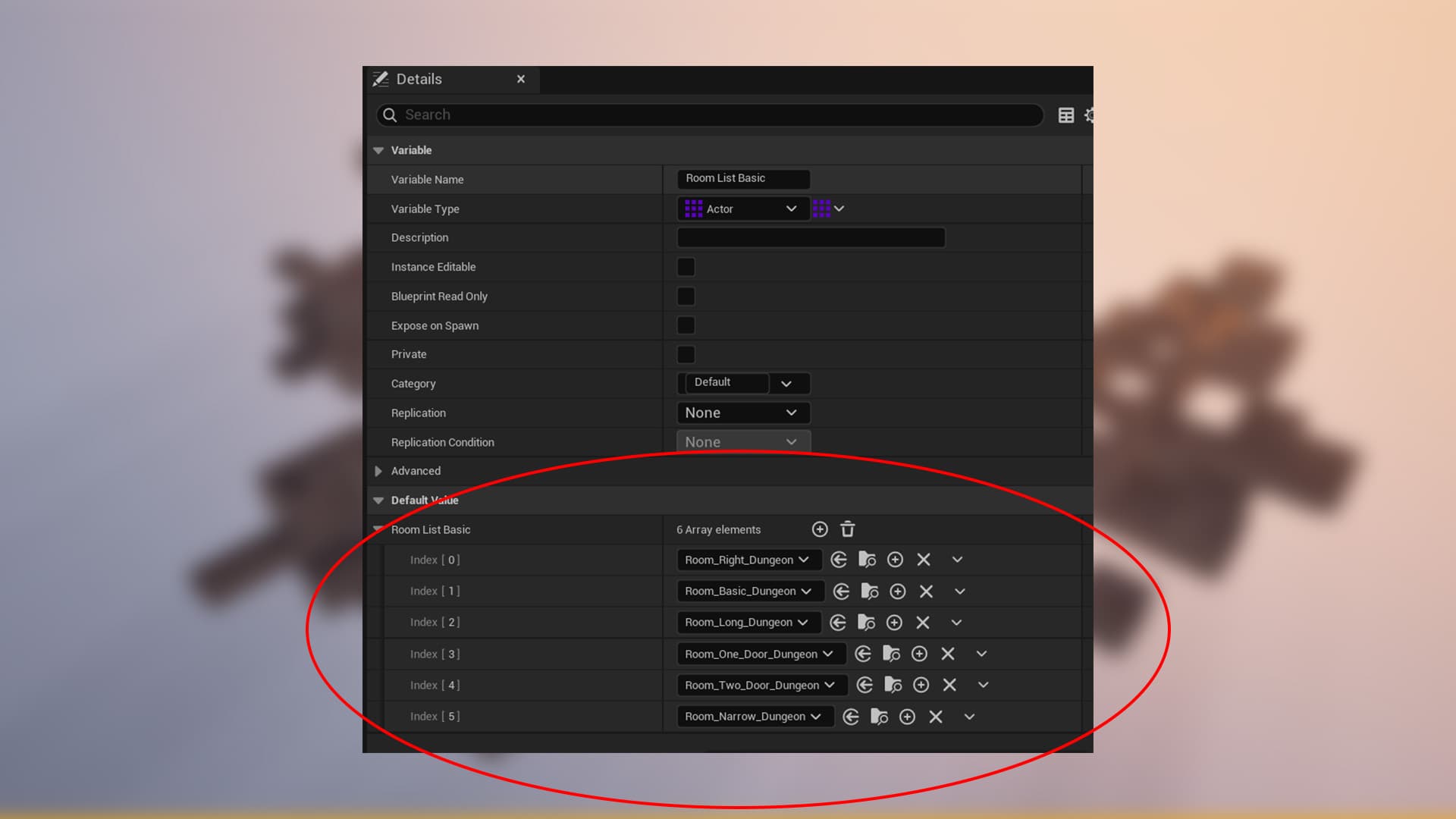
You can configure the room pool by adding or removing rooms from this variable Room List Basic and Room Special List also Room Event List
The generator includes a special room that can be designated as a Boss Room or a room containing a special objective. This room is spawned based on specific conditions defined in the generator's logic.
This section of the code is responsible for spawning the Boss Room or a room containing a special objective (only one such room can exist in the dungeon).
By default, this logic ensures that the room is generated near the end of the dungeon. You can adjust the value to better fit your needs—the higher the value, the earlier this room will appear during generation.
If you do not want this room to be generated at all, remove the second Branch node and the Set Room List node, then connect the first Branch node directly to the Spawn Next Room node.